Orders & Tracking
Finding out what happened to an order, whether you’re signed in or checked out as a guest.
Track an order
/tracking takes just an Order ID and works without signing in for guest orders. For an order tied to an account, tracking requires being signed in as that account’s owner (or an Administrator).
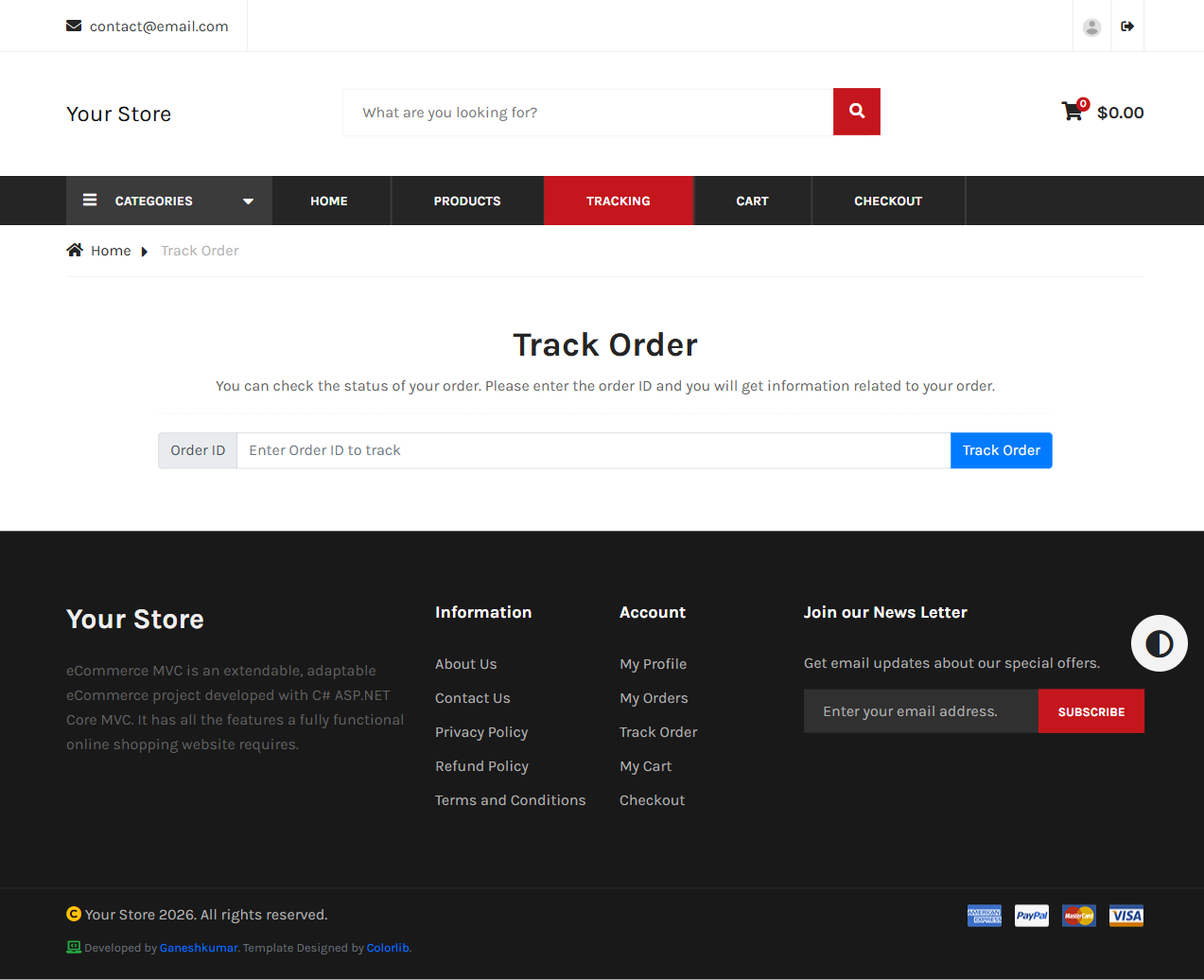
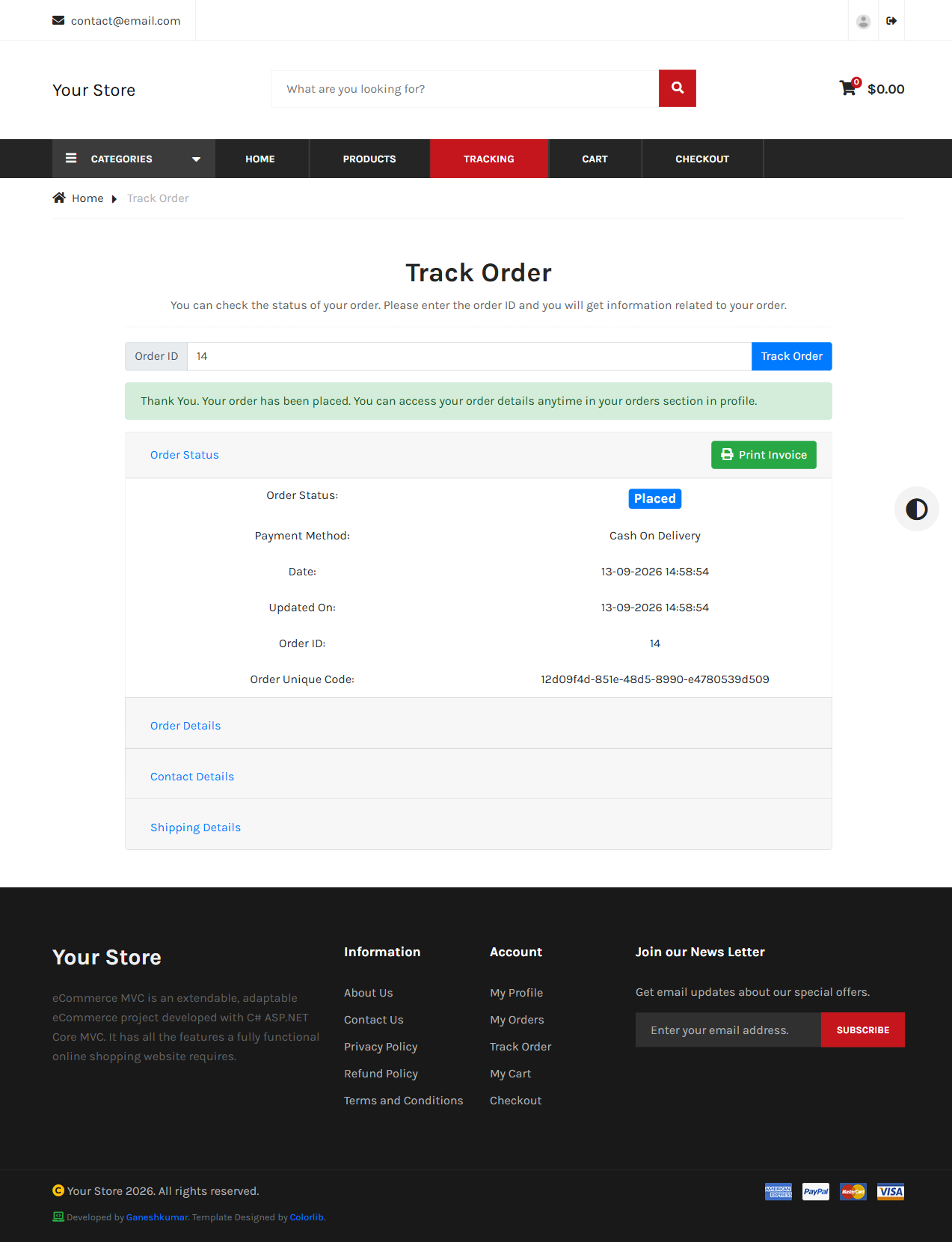
After placing an order, you land here automatically with the result already shown: status, payment method, line items, contact/shipping details, and full status history.
My Orders
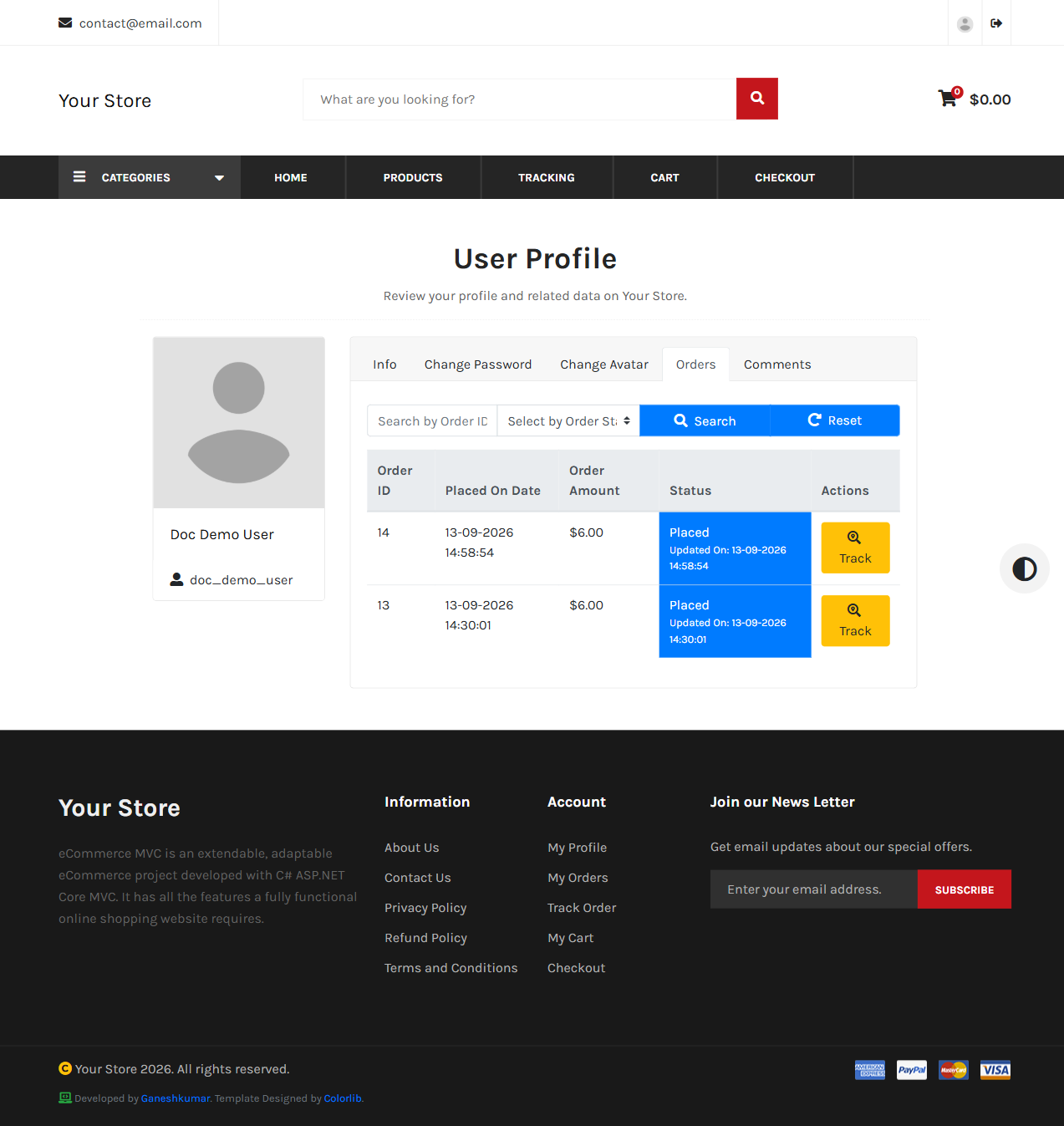
Signed-in customers also get an Orders tab on their profile (/user/profile?tab=orders), listing every order with search by Order ID and filter by status, and a direct Track link per row.
Print invoice
Both the tracking page and the dashboard order-details screen offer a Print Invoice link (/print-ivoice?orderid={id}) that opens a printable invoice and triggers the browser’s print dialog automatically on load.